

The Project Task List supports a parent–child hierarchy, so you can structure tasks across multiple levels and view them as a tree.
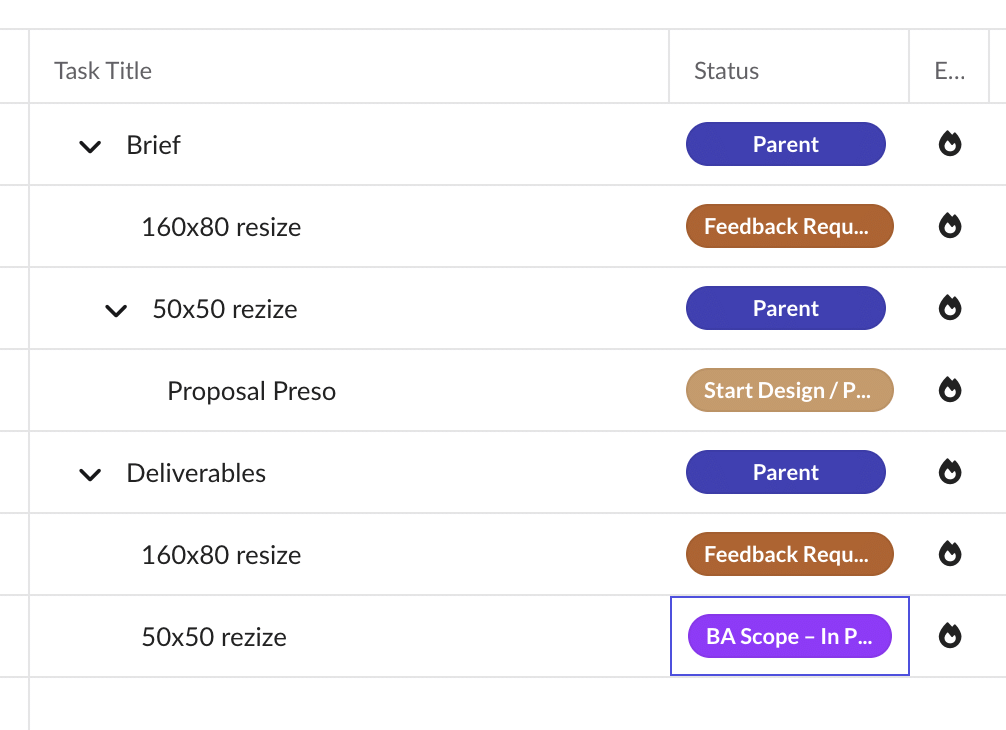
How the hierarchy works
- Any task can be a parent, a child, or both, and tasks can be nested several levels deep.
- Parent rows show an expand / collapse chevron. Click it to show or hide child tasks.
To indent or outdent a task
- Right-click the task.
- Select Indent Task to make it a child of the task above, or Outdent Task to move it up a level.
You can also change the hierarchy by dragging a task onto a parent. See Drag & drop and reordering.