

Multi-sort lets you sort by several columns at once, defining a clear priority order to build structured, meaningful views, for example Status, then Priority, then Start Date.
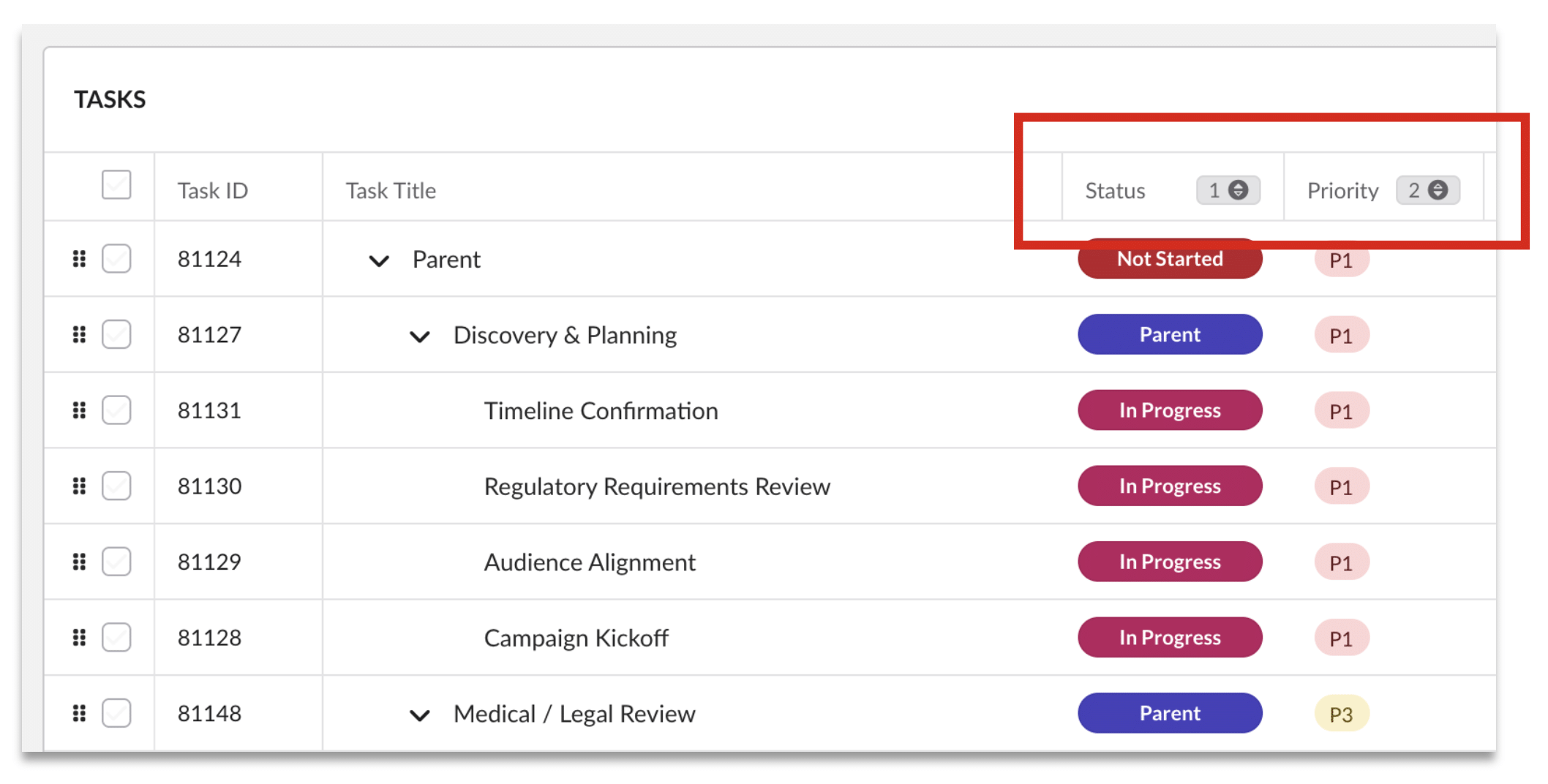
To apply a multi-sort
- Click a column header to sort by it (e.g. Status). A number badge “1” appears, showing it’s your first sort.
- Click a second column header (e.g. Priority) to add it as the second level; it’s badged “2”.
- Add further columns as needed; tasks order by your first column, then the second, and so on.
- Click a sorted column again to reverse its direction, or remove it to drop it from the sort.
Good to know
- Multi-sort persists for your active session and stays stable using Task ID as a consistent tie-breaker.
Common uses: prioritisation, workload distribution, and surfacing delivery risk, for example Priority then End Date to push overdue, high-priority work to the top.