

Release Notes – May 2026
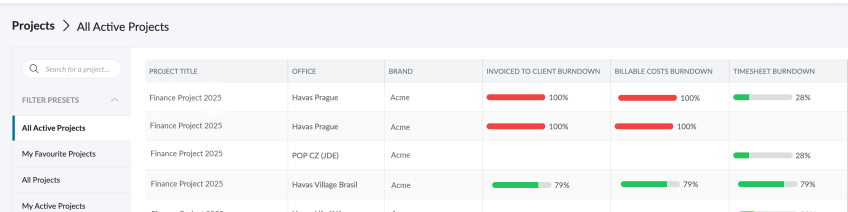
1. All regions FEATURES Pending Approval & Timesheet Report Enhancements Three pieces of information that the system was working out “on the spot” every time you loaded the timesheet or ran the pending approval report — timesheet status, submission state, and assigned approver — are now stored directly in the database instead. This should mean: …
Release Notes – May 2025
RELEASE NOTES 1. ALL REGIONS FEATURES Feature: New Feature for Brand Requests We have introduced a new setting called “Use for new Brand Request” within Brand Attributes. This new setting improves the process of requesting a new Brand by allowing important attribute options (like “Therapeutic Area” or “Business Unit”) to…
RELEASE NOTES – RC.0804
1. All Regions FEATURES DAILY TIMESHEETS FOR UK & EUROPE [1989] As we move towards supporting Alien User technology between regions, we need to standardise Timesheet submission and processing to a Daily Schedule – instead of Weekly. This code update allows existing Agresso Weekly Timesheet Users to transition to Daily…
Release Notes RC23.0714
1. All regions FEATURES Resource Scheduler Performance enhancements in the following areas: Booking form load speedProject dropdown in the new booking formSearch As You TypeMoving bookings within scheduler viewAdding a project link in the new booking formUsing V2 endpoints for all filtersApplying filters when exporting from SchedulerUpdating the default activity…
Brands API 2
Permissions who can use the feature Any logged in user with permission to create projects can use the Brand/Product Request Feature. Simply navigate to the Support Page /v2/support/general and click ‘Brand Access’ What Master Clients / Brands / Products can I see? Clicking the Brand Access panel will…
Release Notes RC23.0623
RELEASE NOTES 1. All Regions FEATURES [1807]Request a Master Client / Brand / Product The Brand/Product Request feature allows any logged-in user with project creation permissions to request access to existing or new Brands, Products, and Master Clients. Users can access the feature by navigating to the Support Page…
Release Notes – RC23.0602
ALL REGIONS FEATURES [#60717] New Waiver For All Employees Working on Fitbit Business ENHANCEMENTS [#59155] Update Template options to allow for Append or Replace existing Stage information Create a new modal that is launched when a user clicks to apply a template. The modal will provide the user with…
Release Notes – RC23.0512
1. ALL REGIONS REVIEW ENHANCEMENTS [#61266] Update the ‘Notify Reviewers’ option to show all users on the Project Team [#61289] FE: Allow a Reviewer who is “Review Author” to be removed from all Stages of a Review Round [#59960] Enhancement: Add a rollover displaying the Stage decision rule in…
What is my Password?
To login, you must have an Active Pulse User Account, which would typically be setup by a System Administrator or Pulse Champion in your office. When your Pulse User Account is created, Pulse will send you an ‘New User Email‘ email with your Pulse Login Details. “New User Email” Your “New User Email” will…
How to Customise Project Tabs
The ‘Project Tabs‘ navigation shows the features enabled for each project. Each project can have different features enabled, depending on the needs of the Project Manager and the Project Team. Thus the Tabs shown in the project will be indicative of the features enabled for that project. The Tabs…