

Once a Timesheet is submitted in Pronto, it’s ready for Review and Approval.
By default, timesheets are auto-approved after 48 hours — but some offices use custom rules, including instant approval on submission.
Who approves timesheets?
Each user is assigned a Timesheet Supervisor, usually their manager.
When a timesheet is submitted, it goes to that supervisor for review.
How to approve timesheets (for supervisors)
If you’re a Timesheet Supervisor, you have two approval tools:
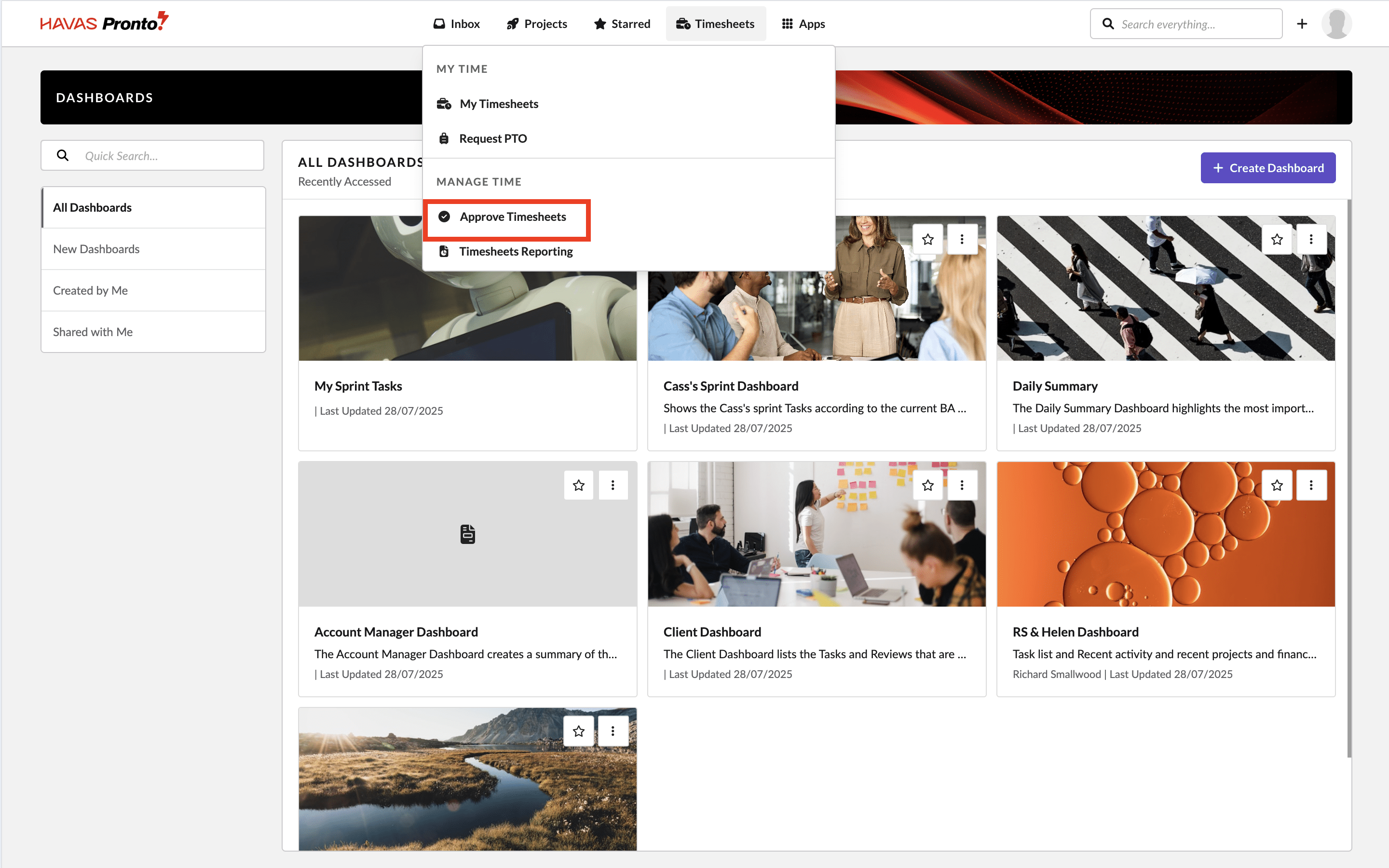
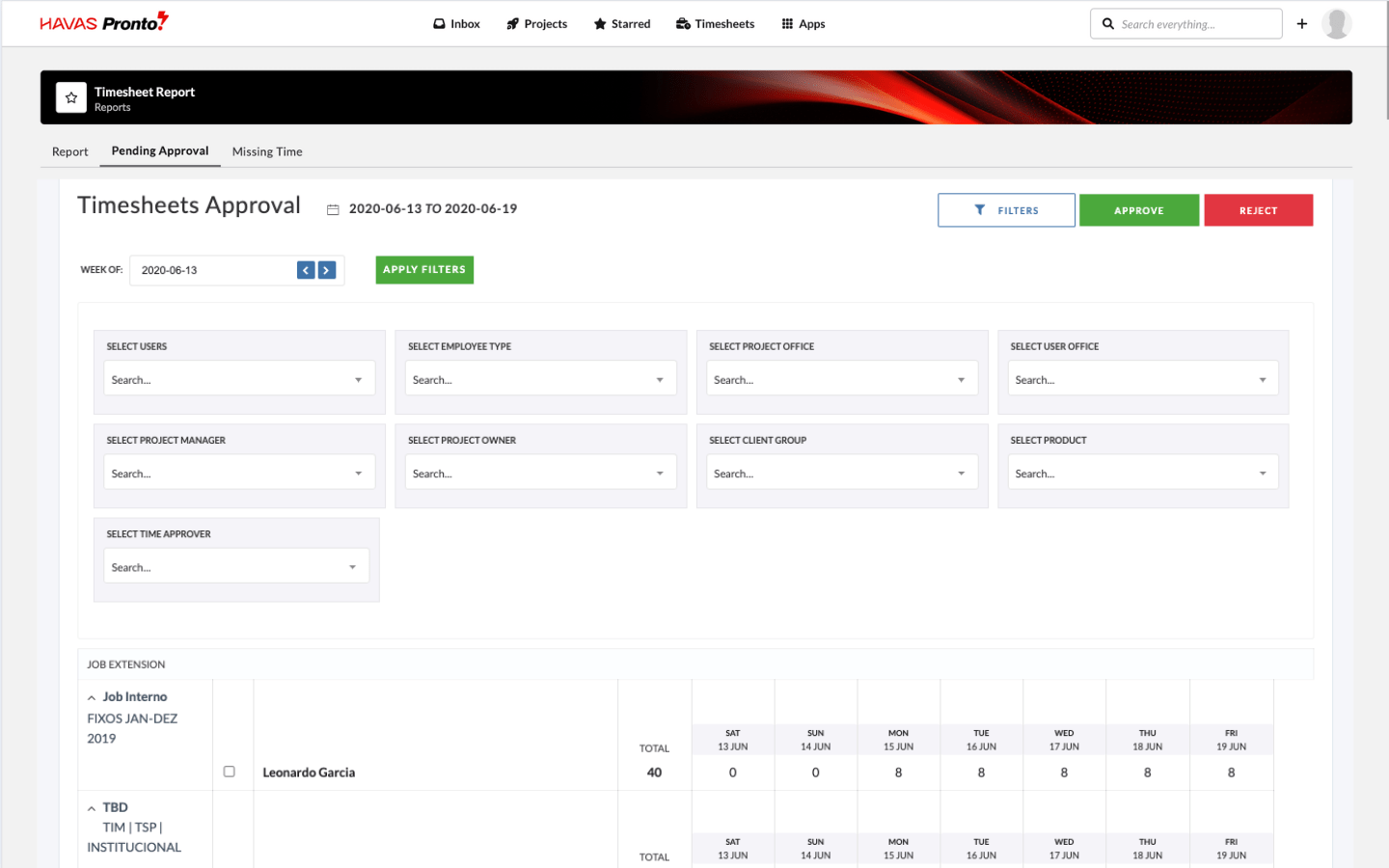
1. General time approval
For a quick, user-by-user view with raw data and bulk approval options.
- Go to Main Navigation → Timesheets → Approve Timesheets
- Use the filters to find a user
- Review their submissions
- Approve or Reject as needed
2. Weekly time approval
A more detailed view, showing weekly summaries grouped by user.
- Go to Main Navigation → Timesheets → Weekly Time Approval
- Use the filters to search by user, week, or project
- Review and take action on each submission